SpecLynx Editor
Web AppOpenAPI editing in your browser
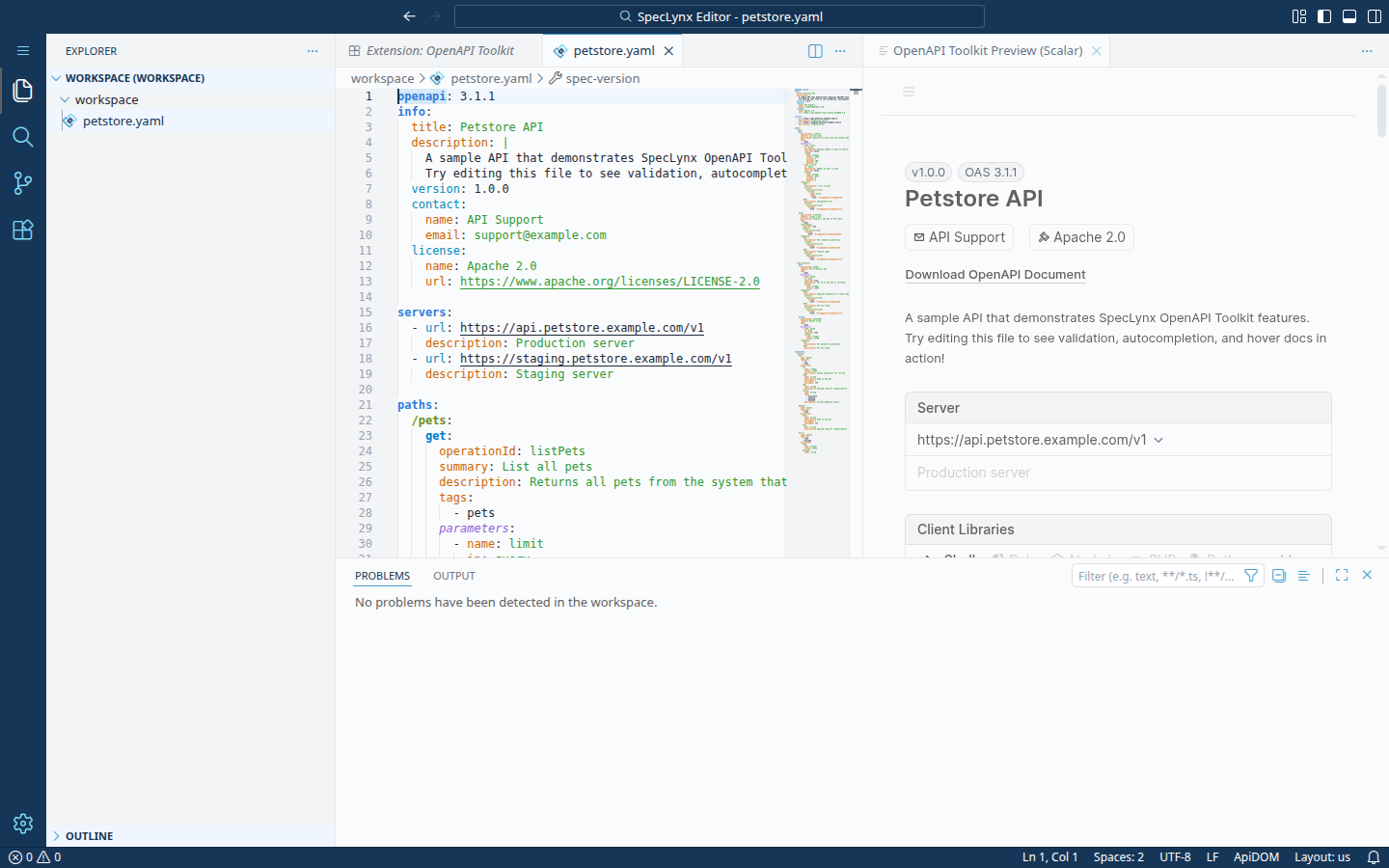
SpecLynx Editor is a browser-based OpenAPI editor with real-time validation, smart autocompletion, and live preview. No installation, no account, no setup — just open and start writing.
Fully client-side: All processing happens in your browser. No data is sent to any server. Your specs never leave your machine.
Supported Formats
Full JSON and YAML support:
- ✓ OpenAPI 2.0 (Swagger)
- ✓ OpenAPI 3.0.x
- ✓ OpenAPI 3.1.x
Features
Real-Time Validation
Errors and warnings appear as you type, not after you save.
Smart Autocompletion
Context-aware suggestions for paths, parameters, responses, and components.
Instant Error Detection
Structural and semantic validation catches issues before they reach your API consumers.
Live Preview
See your API documentation render in real time as you edit.
Custom Themes
Ships with SpecLynx Light and SpecLynx Dark themes designed for API specification editing.
How It Works
Author Your Spec
Paste or write an OpenAPI specification in JSON or YAML.
Get Instant Feedback
Validation, autocompletion, and preview update as you type.
Which One Is Right for You?
The Editor and the OpenAPI Toolkit extension are built on the same core — the same Language Service and ApiDOM. The Editor is the fastest way to start. The extension gives you a full development environment.
| Editor | OpenAPI Toolkit | |
|---|---|---|
| Installation | None | VS Code required |
| Setup time | Instant | 1 minute |
| Offline use | Yes (clone the repo) | Yes |
| Git integration | No | Yes |
Built With
OpenAPI Toolkit
The Editor runs the same VS Code extension in the browser. Same validation, autocompletion, and preview — no installation required.
Explore OpenAPI ToolkitLanguage Service
LSP-compatible library providing validation, autocompletion, hover documentation, and more.
Explore Language ServiceApiDOM
Semantic parser running entirely in the browser. The same code that runs on your server runs client-side in the Editor.
Explore ApiDOMFrequently Asked Questions
Is the SpecLynx Editor free?
Yes. SpecLynx Editor is free, open-source, and licensed under Apache 2.0. No account or signup required.
What API specifications does the Editor support?
The Editor supports OpenAPI 2.0 (Swagger), OpenAPI 3.0.x, and OpenAPI 3.1.x in both JSON and YAML formats.
Do I need to install anything?
No. The Editor runs entirely in your browser. Just open editor.speclynx.com and start editing. All processing happens client-side — no data is sent to any server.
What is the difference between the Editor and the OpenAPI Toolkit?
The Editor is a lightweight build of VS Code with the OpenAPI Toolkit extension built in, packaged for the browser. No installation, no account — just open and start authoring. The OpenAPI Toolkit is the same extension running in desktop VS Code, with access to the full VS Code extensions ecosystem and Git integration.