SpecLynx OpenAPI Toolkit
VS Code ExtensionThe OpenAPI Powerhouse for VS Code
SpecLynx OpenAPI Toolkit is a VS Code extension providing advanced editing, validation, linting, and preview capabilities for Swagger/OpenAPI specifications.
Works everywhere: Desktop VS Code, vscode.dev, github.dev, and GitHub Codespaces. A rare capability in the OpenAPI editing landscape. Prefer no installation? Try the browser-based SpecLynx Editor.
Supported Formats
Full JSON and YAML support with identical features across all versions:
- ✓ OpenAPI 2.0 (Swagger)
- ✓ OpenAPI 3.0.x
- ✓ OpenAPI 3.1.x
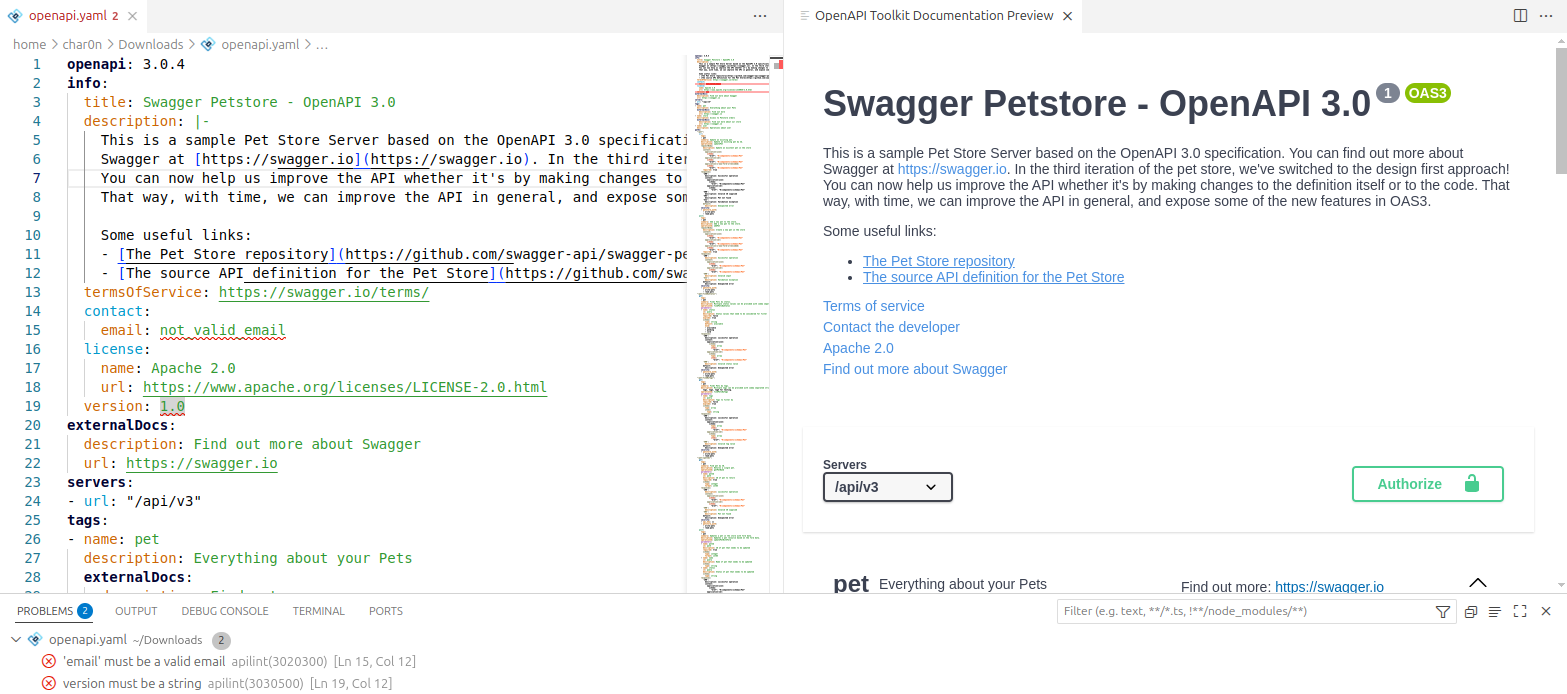
Editor
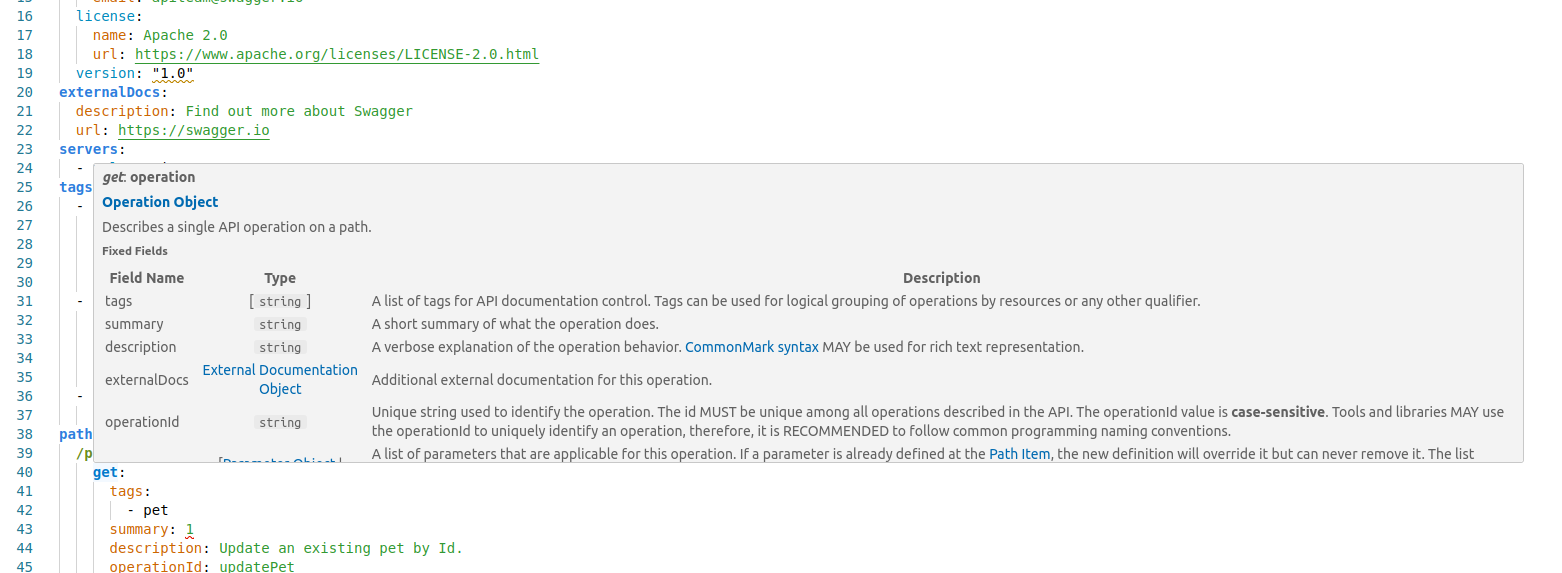
Hover Documentation
Hover over any keyword to see context-aware documentation panels matching official OpenAPI specifications. No more switching between your editor and the spec docs.
- ✓ Full specification documentation inline
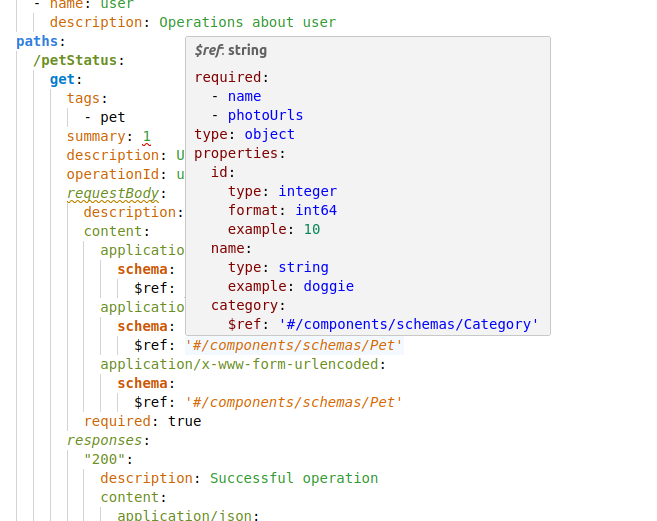
- ✓ Reference targets resolved and displayed in tooltips
- ✓ Same documentation appears in completion item details
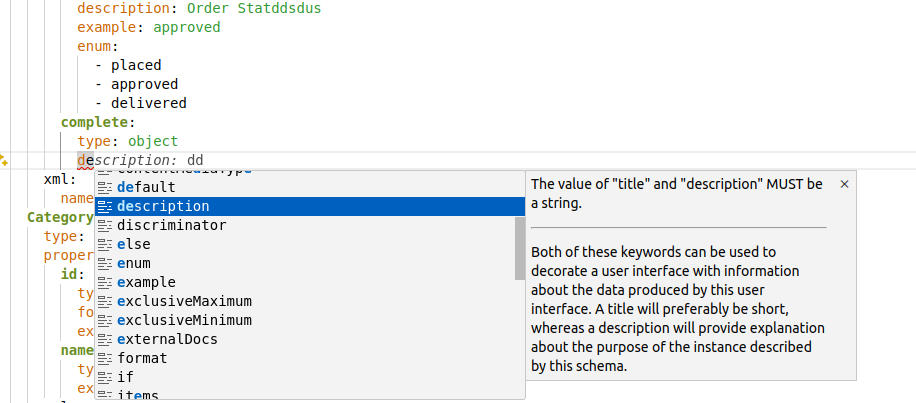
Autocompletion
Semantic intelligence, not just basic schema-driven suggestions. The completion system understands OpenAPI context and delivers smart, relevant options.
Completion with Documentation
Every suggestion includes full specification documentation inline.
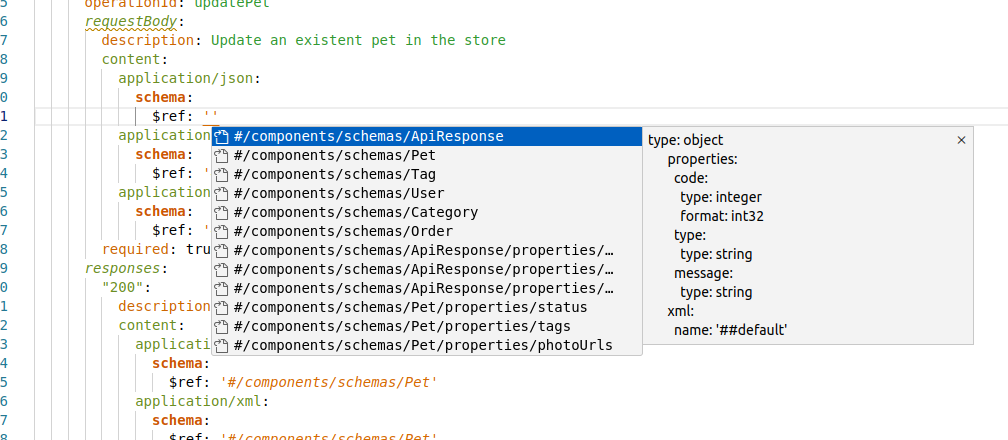
Reference Completion
In $ref values, suggests compatible targets with in-context preview of the referenced content.
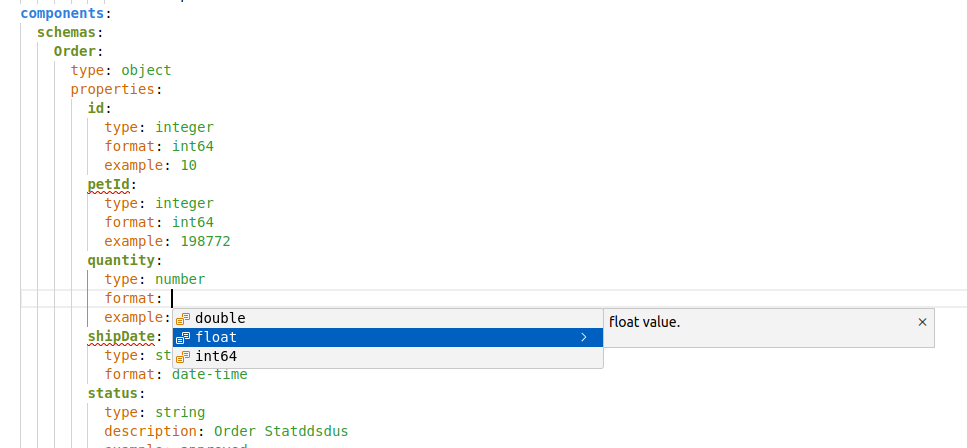
Context-Aware Suggestions
Adapts to related fields. For example, type: integer shows only compatible format values.
References & Navigation
Navigate complex OpenAPI specifications with ease. Jump between definitions, find usages, and understand your API structure at a glance.
| Feature | Shortcut | Description |
|---|---|---|
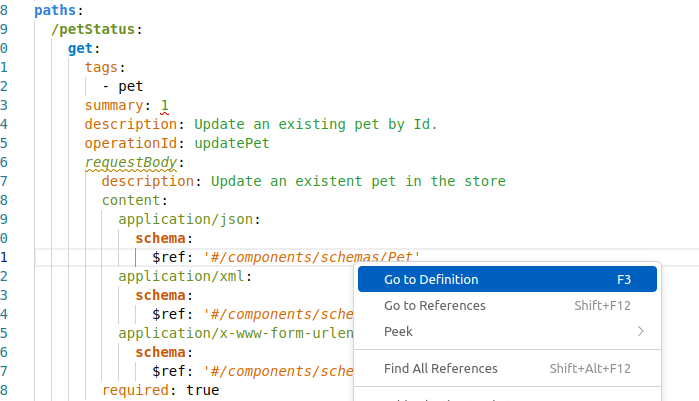
| Go to Definition | F3 | Jump to $ref targets across files |
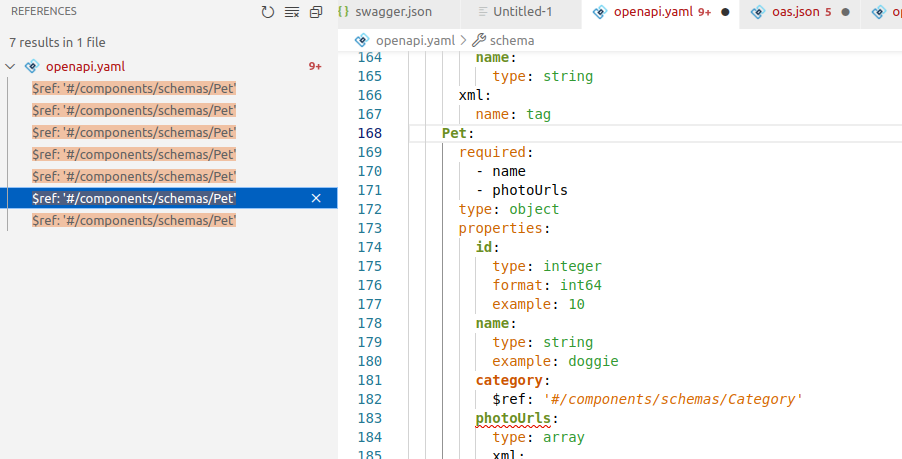
| Go to References | Shift+F12 | Open panel listing all available references |
| Find All References | Right-click menu | Locate every usage of selected targets |
| Reference Preview | Hover | Display referenced content without losing focus |
| Document Symbols | Ctrl+Shift+O | Outline view and breadcrumb navigation |
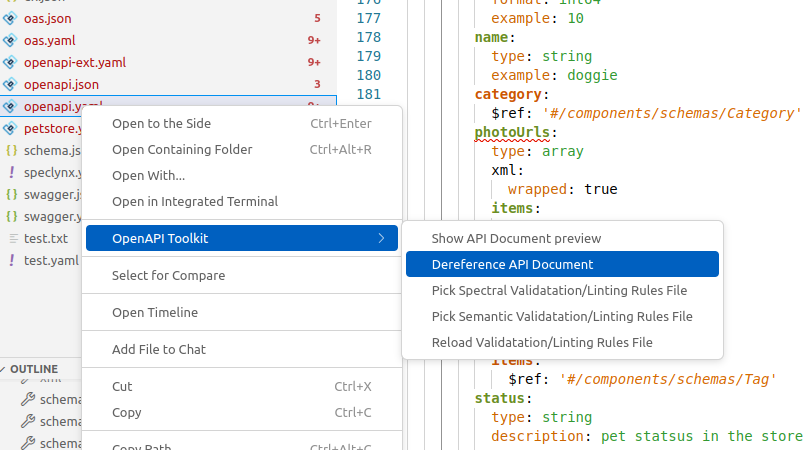
| Dereference | Command palette | Generate dereferenced copies with automatic naming |
Reference Preview in Hover
Go to Definition
Go to References

Find All References
Dereference Command
Syntax Highlighting
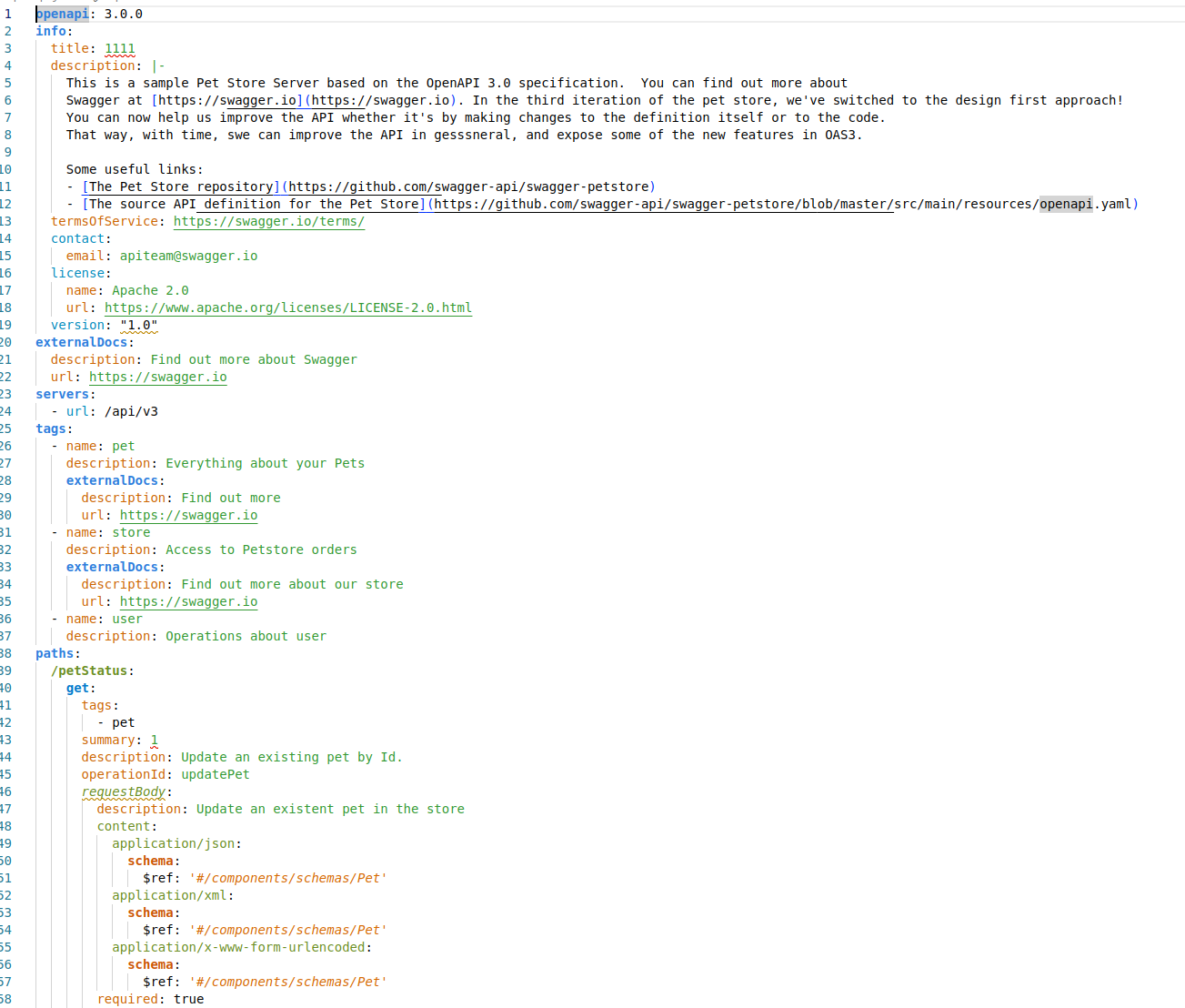
Semantic syntax highlighting that goes beyond basic JSON/YAML coloring. The toolkit distinguishes specific OpenAPI elements with distinct colors and font styles.
- ✓ Operations highlighted distinctly
- ✓ Schemas visually differentiated
- ✓ References stand out for easy identification
- ✓ Improved readability for complex specifications
Tools
Formatting
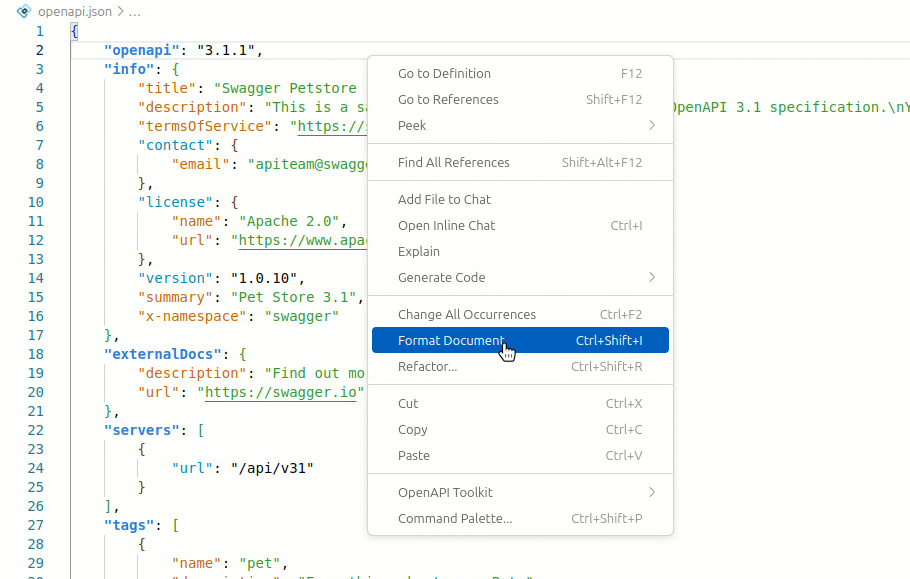
Format your OpenAPI documents using VS Code's built-in formatting commands. The extension respects your editor's tab size and indentation preferences (tabSize and insertSpaces).
Use Shift+Alt+F or right-click and select "Format Document".
JSON / YAML Conversion
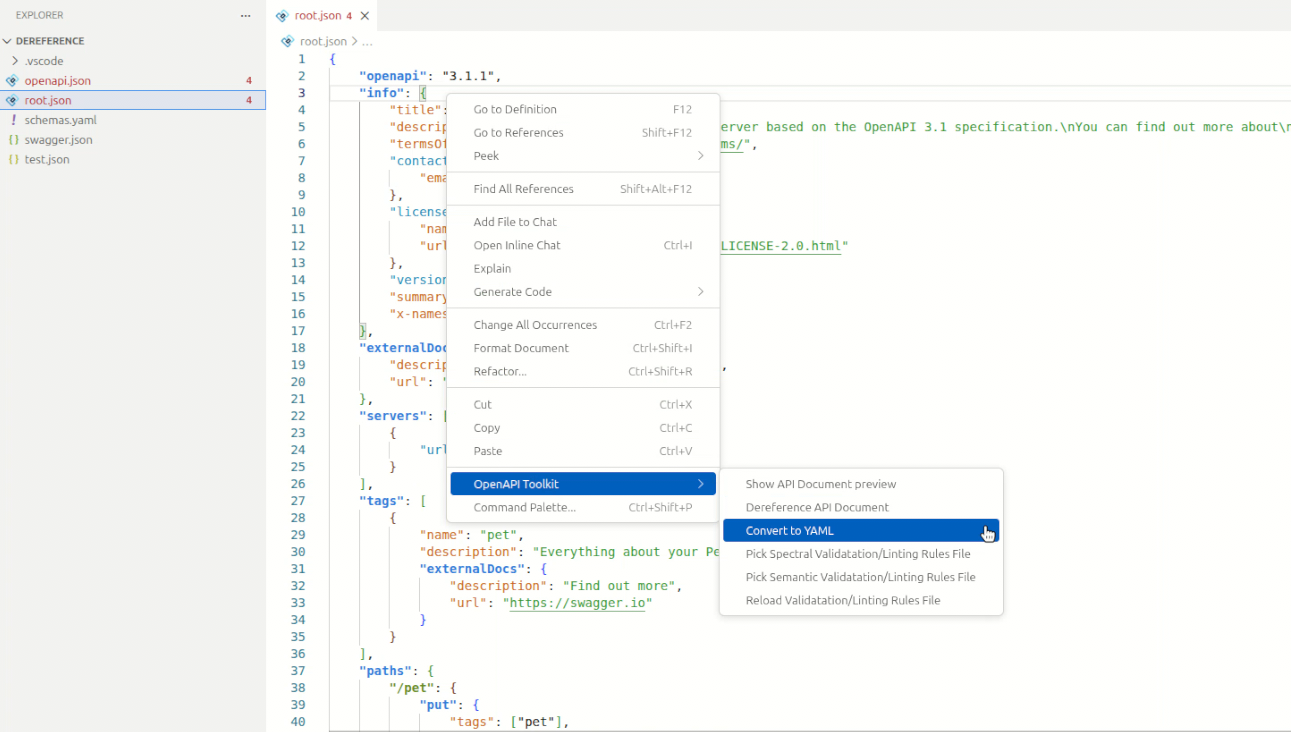
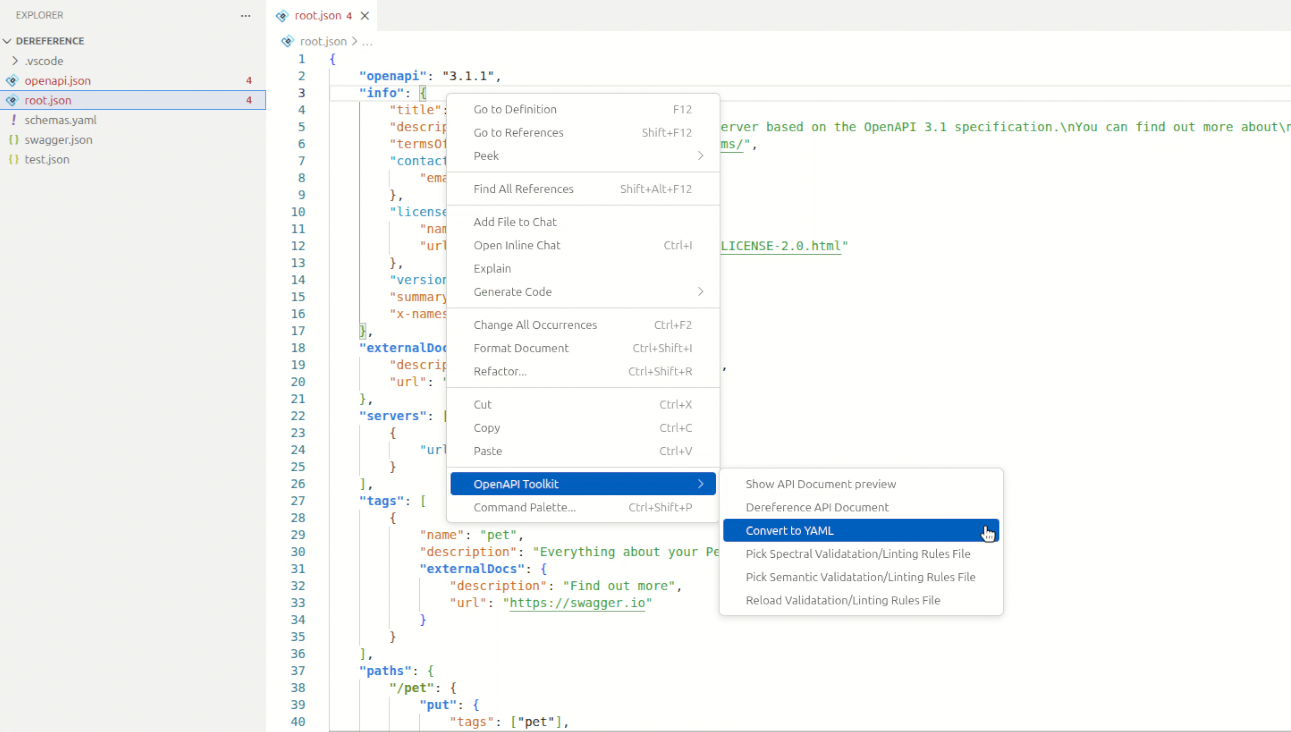
Convert between JSON and YAML formats with a single command. Right-click in the editor or use the Command Palette (Ctrl+Shift+P):
- ✓
SpecLynx: Convert to JSON - ✓
SpecLynx: Convert to YAML
Default output filename: {filename}.{target-extension}
Preview
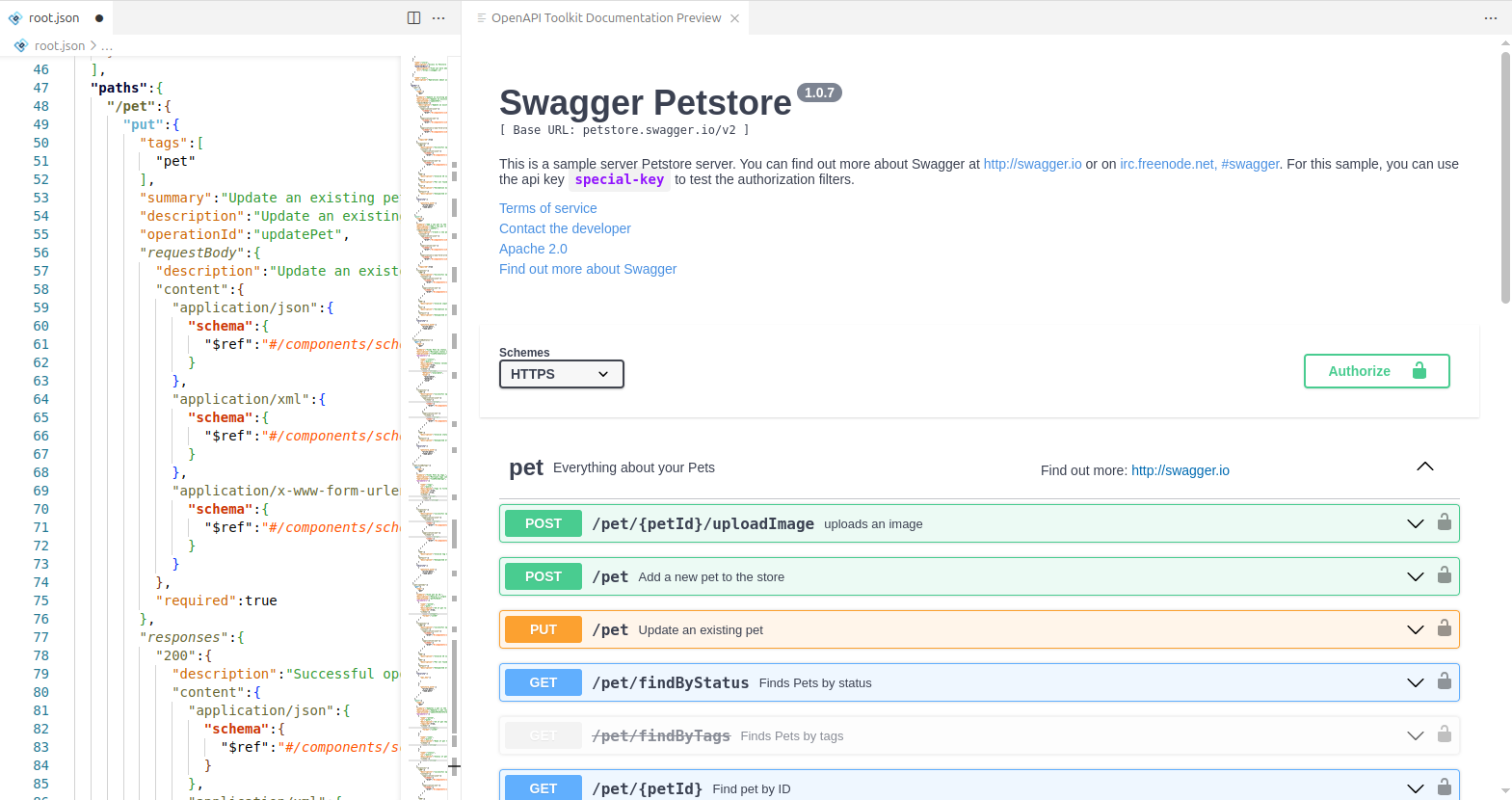
See your API documentation rendered live as you edit. Open via Command Palette: OpenAPI Toolkit: Show API Document preview
Available Renderers
| Renderer | Description | Default |
|---|---|---|
| Scalar | Modern, clean API reference documentation | Yes |
| SwaggerUI | Classic OpenAPI documentation interface | No |
Interactive Features
- ✓ Live rendering of specification changes
- ✓ Server selection and authorization
- ✓ Direct operation execution for request/response testing
Validation & Linting
Validation & Linting
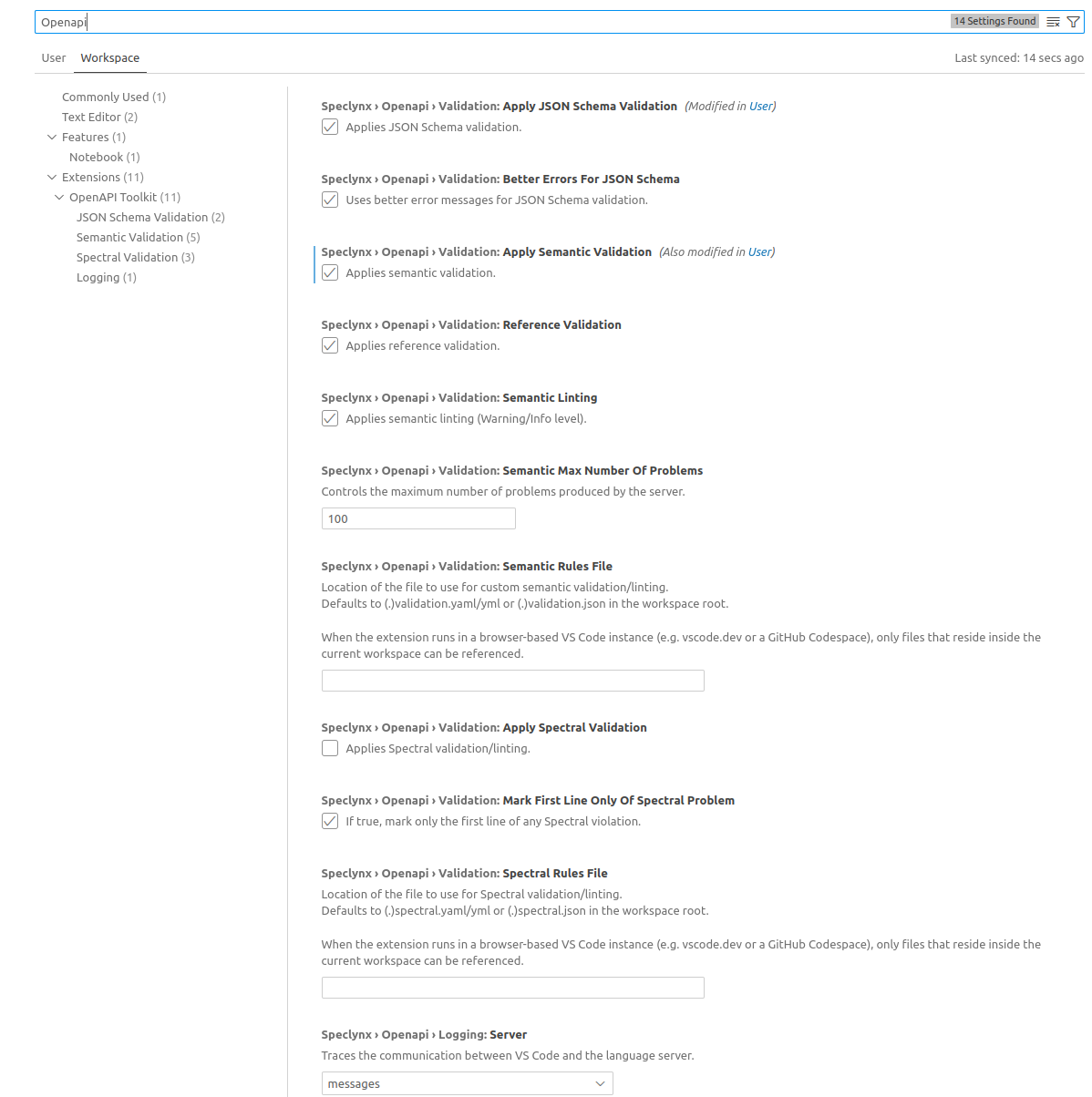
Three combinable validation modes catch issues at different levels. Use them together for comprehensive spec validation.
Definitions
| Term | Meaning |
|---|---|
| Validation | Checks specification conformance - is it valid OpenAPI? |
| Linting | Enforces best practices and quality standards beyond basic validity |
| Semantic Validation | Targets semantic properties of OpenAPI elements (e.g., duplicate operationIds) |
| Semantic Linting | Uses semantic element types and JSONPath expressions for custom rules |
Validation Modes
| Mode | Default | Description |
|---|---|---|
| JSON Schema | Enabled | Standard OpenAPI spec conformance checks against the official JSON Schema |
| Spectral | Disabled | Rule-based analysis using external Spectral rulesets for custom standards |
| Semantic Validation | Disabled | Deep validation of OpenAPI semantics beyond what JSON Schema can catch |
| Semantic Linting | Enabled | Custom rules targeting specific semantic element types |
Spectral Integration
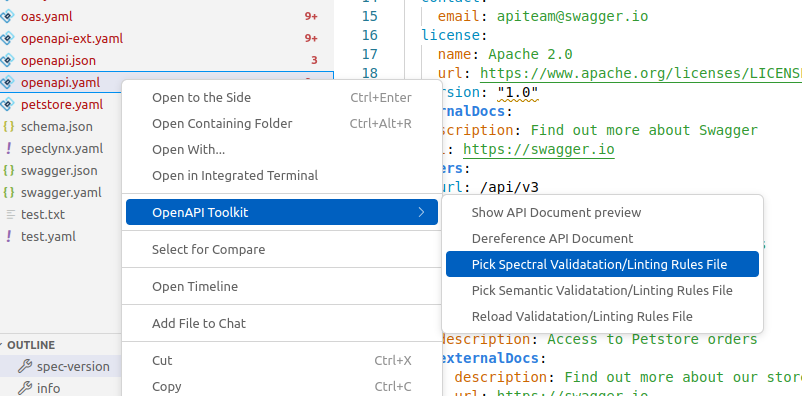
Use Spectral rulesets to enforce your team's API style guides and standards.
Setup
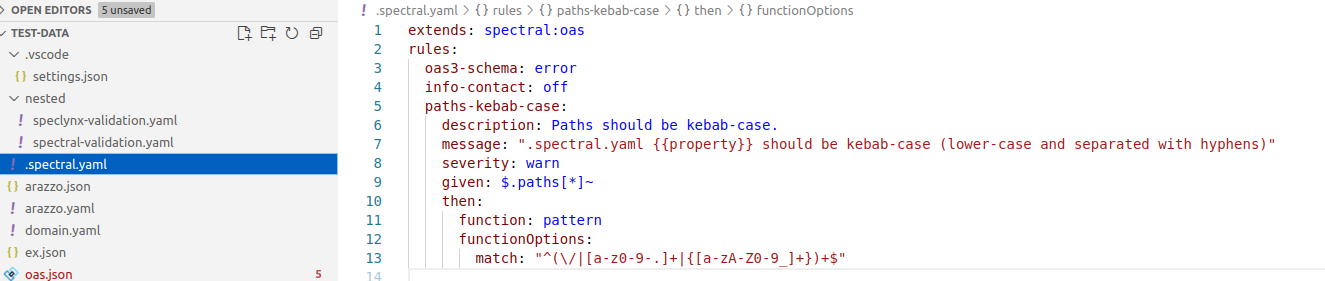
Enable Spectral validation in settings, then provide a ruleset via:
- ✓ A
.spectral.yaml,.spectral.yml, or.spectral.jsonat workspace root - ✓ Extension settings or the dedicated command
Example Ruleset
extends: spectral:oas
rules:
  operation-operationId: error
  operation-tags: warn
Create Ruleset
Validation in Action
Semantic Validation
Goes beyond JSON Schema to catch issues that are syntactically valid but semantically incorrect:
- ✓ Duplicate operationIds
- ✓ Invalid
$reftargets - ✓ Missing required fields in context
- ✓ Type/format mismatches
- ✓ Unused components

Custom Linting Rules
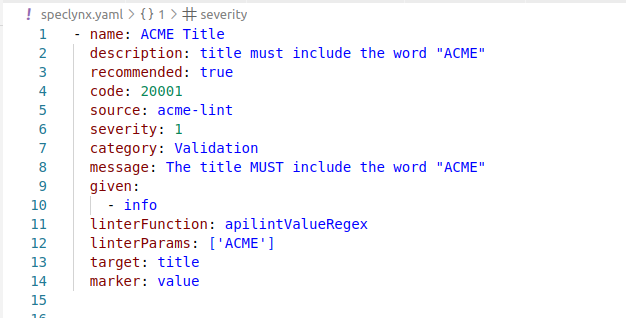
Create custom linting rules targeting specific semantic element types. Define rules in JSON or YAML format with JSONPath expressions for precise targeting.
Setup
Enable semantic linting in settings, then provide a ruleset via:
- ✓ A
.speclynx.yaml,.speclynx.yml, or.speclynx.jsonat workspace root - ✓ Extension settings or the dedicated command
Rule Structure
Each rule in your ruleset can include:
| Property | Description |
|---|---|
| Rule ID | Unique identifier for the rule |
| Description | Human-readable explanation of what the rule checks |
| Severity | Error, warning, or info level |
| Target Selector | Element type and/or JSONPath expression |
| Conditions | Logic to evaluate against the target |
| Fixes | Optional automated fixes when the rule triggers |
Supported Element Types
Target rules to specific OpenAPI elements:
callback, components, contact, content, definitions, discriminator, encoding, example, external-documentation, header, headers, info, items, license, link, media-type, oauth-flow, oauth-flows, openapi, openapi3_0, openapi3_1, operation, parameter, parameters-definitions, path-item, paths, path-template, reference, request-body, response, responses, responses-definitions, schema, scopes, security-definitions, security-requirement, security-scheme, server, server-variable, swagger, tag, xml
Installation
Launch VS Code Quick Open (Ctrl+P), paste and press enter:
ext install SpecLynx.vscode-openapi-toolkitFor VS Code
For VSCodium, Gitpod, Eclipse Theia
Download .vsix directly
No installation required
Configuration
All extension settings are accessible via File → Preferences → Settings. Search for @ext:SpecLynx.vscode-openapi-toolkit to see all options.
Key Settings
- ✓
speclynx.validation.*- Enable/disable validation modes - ✓
speclynx.openapi.preview.renderer- Choose preview renderer - ✓
speclynx.spectral.ruleset- Path to Spectral ruleset
Why Choose SpecLynx OpenAPI Toolkit?
Engineered for clarity, control, and confidence - enabling you to focus on designing exceptional APIs.
Catch Errors Early
Real-time validation flags issues as you type, not after you ship.
Write Faster
Context-aware autocompletion suggests paths, parameters, responses, and components.
Stay Consistent
Spectral and semantic linting enforce your team's API standards.
See Changes Live
Preview panel updates with every keystroke - Scalar or SwaggerUI.
Roadmap
We build in the open. Here's what's coming:
- ☐ New file templates
- ☐ OpenAPI change detection
- ☐ OpenAPI version conversion
- ☐ Enhanced bundling
- ☐ Arazzo support
- ☐ Overlays support
Frequently Asked Questions
Is SpecLynx OpenAPI Toolkit free?
Yes. SpecLynx OpenAPI Toolkit is a free, open-source VS Code extension licensed under Apache 2.0. You can install it from the Visual Studio Code Marketplace at no cost.
What OpenAPI versions does the toolkit support?
The toolkit supports OpenAPI 2.0 (Swagger), OpenAPI 3.0.x, and OpenAPI 3.1.x. It also provides support for AsyncAPI 2.x specifications and Arazzo 1.x workflows.
Does it work with both JSON and YAML files?
Yes. All features including validation, completion, hover documentation, and live preview work with both JSON and YAML formats.
Can I use custom linting rules?
Yes. The toolkit supports Spectral rulesets for style guide enforcement, JSON Schema validation, as well as its own semantic linting rules that you can configure through the extension settings.
Can I use SpecLynx without installing anything?
Yes. The SpecLynx Editor runs entirely in your browser at editor.speclynx.com. It provides real-time validation, autocompletion, and preview without any installation. For multi-file projects and Git integration, use the OpenAPI Toolkit VS Code extension.